My 180 Medical Mobile App
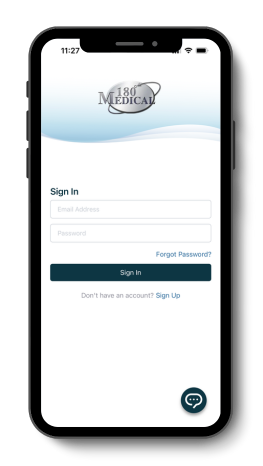 Managing your catheter or ostomy supply needs with 180 Medical should be simple. With the My 180 Medical mobile app, you can handle common account needs on your phone or tablet without making a call.
You can use the app to see your order history, confirm upcoming orders, track shipments, chat securely with our specialists, or manage your information.
Find the free My 180 Medical app on the Apple App Store for your iPad or iPhone, or head to Google Play for Android devices.
 |
 |
What the My 180 Medical App Can Do For You
 Orders and Shipment Tracking Made Easy Get timely reordering reminders and track shipments without having to make a phone call |  All-in-One Account Management Effortlessly make updates to your contact info and insurance details at any time |  Stay Up-to-Date and Keep Your Info Secure View bills, pay balances, complete paperwork and chat with our Specialists securely |
Whether you’d like to request an update to your account information, track your orders, or update paperwork, this app makes it easy to get it done.
You can:
- Reorder supplies (order confirmation)
- Track shipments
- Request updates to your account, including insurance and contact information
- View your total balance and link to Patient Wallet to pay your bill
- Secure paperwork and messaging options
- Quick access to the Help Center and other great resources
- And more
How to Get Started with My 180 Medical App
Here’s a step-by-step guide to getting started:
1. Download the My 180 Medical App.
Find the 180 Medical app for customer login on the Apple App Store or Google Play Store and download it to your smartphone. Try searching for “180 Medical” in your preferred app store to find it.
Also, my.180medical.com is always available on any device, such as a desktop or laptop, and can be easily accessed in your internet browser of choice, like Google Chrome or Firefox.
2. Create/Log in to Your 180 Medical Customer Account.
If you’re an existing customer and haven’t registered for the customer portal, you can create an account in the app.
If you’re a potential or new customer, reach out to 180 Medical to request free samples. We can help you set up your supply orders based on your prescription and health insurance information.
After walking you through the steps to place your first order and answering any questions you may have, we can help you set up access to your customer account.
3. Start Managing Your Account Securely and Easily
Now, it’s time to check out all the features and navigate through the app to familiarize yourself with what you can do. Every easy task is just a tap away.
Plus, for quick and secure access, you can easily log in with your biometric information, including facial recognition and fingerprint ID, just like your favorite apps on the Apple and Google App Stores.